Purchaser
A purchaser is an individual or entity responsible for acquiring goods, services, or materials on behalf of a company, organization, or themselves. The purchaser's role involves planning, sourcing, negotiating, and finalizing purchases to ensure that the organization’s needs are met efficiently and cost-effectively.
To access the Purchaser list, go to: > Home > Application > Inventory > Setup > Purchaser
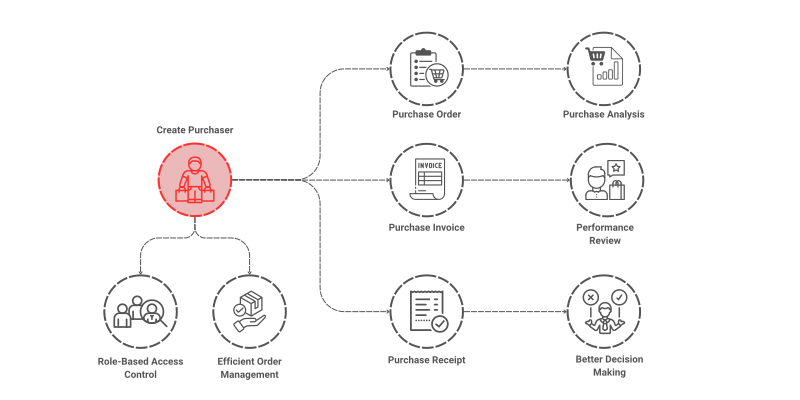
How can I get Benefit ?
- Purchase Analysis : Provides detailed reporting capabilities on purchase volumes and more. This helps in identifying cost-saving opportunities and tracking purchasing trends..
- Performance Review: Sales trends, and stock movement, making it easier to generate reports.
Properties
| Property | Description |
|---|---|
| Purchaser Name | Here, you can enter the name of the Purchaser |
Create a Purcahser
- Go to the Purchaser list, click on
Add New - Enter Purchaser Name
- Click on
Save

Edit a Purchaser
- Go to the Purchaser list
- Locate the Purchaser, Click on the Pencil icon to open whose details you want to Edit
- Make the necessary changes
- Click on
Save
Delete a Purchaser
- Go to the Purchaser list
- Locate the Purchaser, Click on the Delete icon to open whose details you want to Delete
- Click on
Delete
warning
A Purchaser that has been associated with any transaction cannot be deleted.