Salesman
A Salesman (or salesperson) is an individual responsible for selling a company’s products or services to customers. Salesmen play a crucial role in generating revenue, building customer relationships, and driving business growth.

To access the Salesman list, go to: > Home > Application > Point Of Sale > Setup > Salesman
How can I get Benefit ?
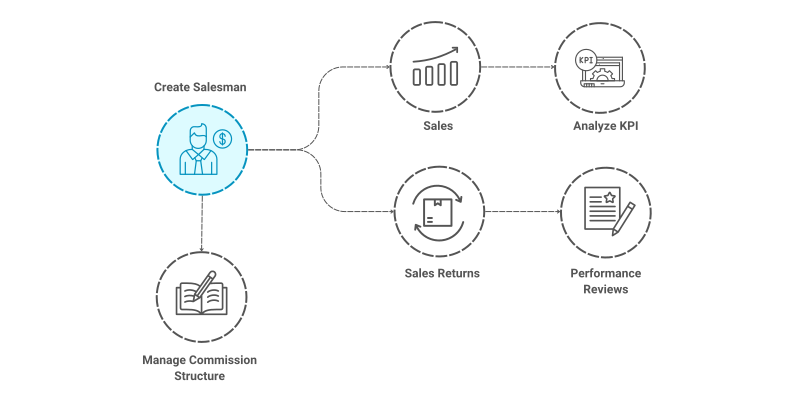
- Manage Commissions : Managing sales commissions effectively is crucial for motivating sales teams and aligning their goals with the company’s objectives.
- Performance Reviews: Sales trends, and stock movement, making it easier to generate reports.
Properties
| Property | Description |
|---|---|
| Salesman Code | User can enter manual code, if leave blank sytem will assign auto code to the Salesman |
| Salesman Name | Here, you can enter the name of the salesman |
| Commission % | Percentage of commission, company offer to the salesman |
| Allowed Branch | Allow salesman for transactions at selected Branch |
| Status | Set the Staus like Active or Inactive |
Create a Salesman
- Go to the Salesman list, click on
Add New - Enter Salesman Code
- Enter Salesman Name
- Enter Commission Percentage
- Select Allowed Branch from list
- Select Status
- Click on
Save


tip
You can assign a Salesman while generating a Sales Transaction.
Edit a Salesman
- Go to the Salesman list
- Locate the Saleman, Click on the Pencil icon to open whose details you want to Edit
- Make the necessary changes
- Click on
Save


Delete a Salesman
- Go to the Salesman list
- Locate the Salesman, Click on the Delete icon to open whose details you want to Delete
- Click on
Delete


warning
A Salesman that has been associated with any transaction cannot be deleted.